Activate Your Professional Artist Account
Written by Atomic Newsroom on 6 July 2025
Background:
The Atomic Top Twenty isn’t just a list; it’s a measure of validation.
While every Sign Up starts as a Listener account (the heart of our community), true contenders must activate their Artist Profile to unlock national radio airplay and charting eligibility.
1. Set Up An Artist Profile
First, ensure you have signed up for an account at https://atomicmusic.web.app
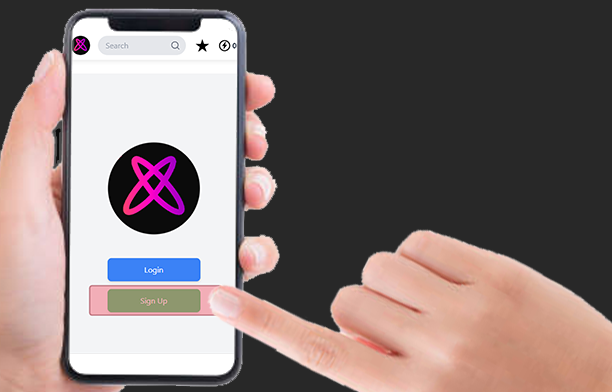
By default, your account starts as a Listener. Use this to discover the “Real” scene, tip your peers, and hear what’s cracking the Top Twenty.
Step onto the stage:
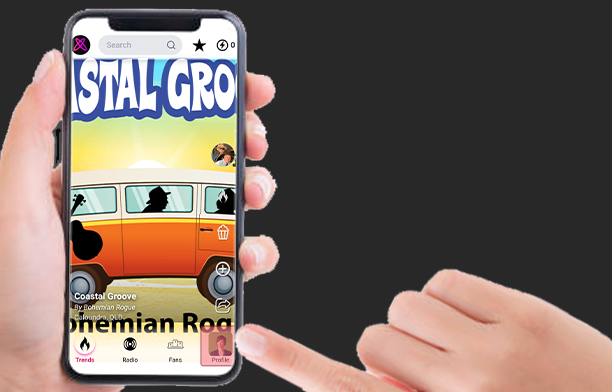
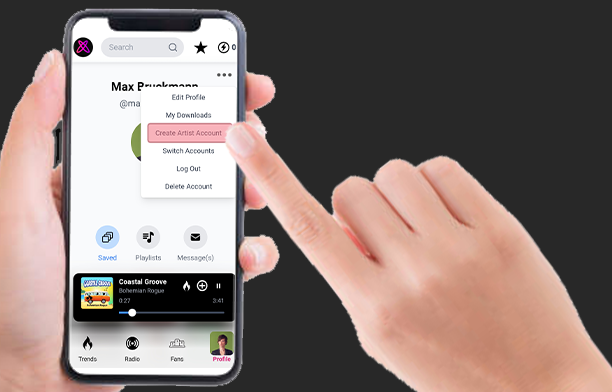
Step 1. Navigate to your Profile Page (bottom right)
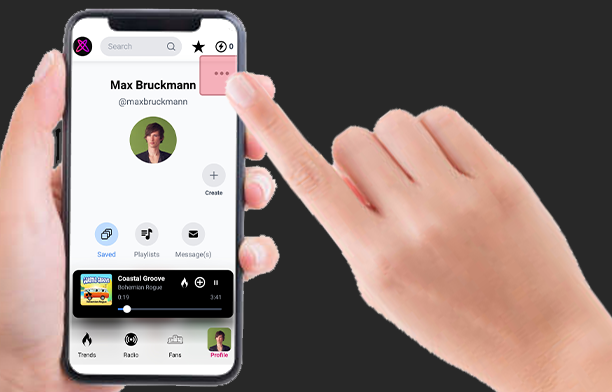
Step 2. Open the Drop Down Menu (top right)
Step 3. Select “Create Artist Account” from the menu
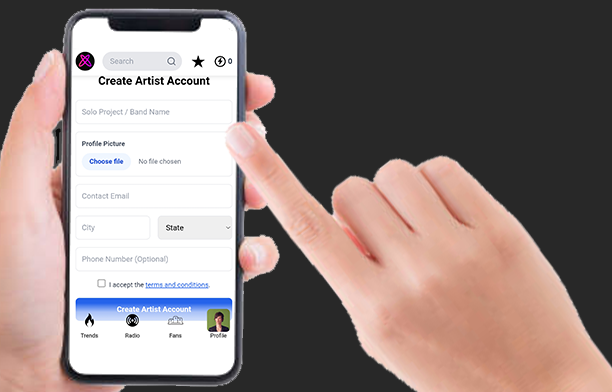
Step 4. Complete your details
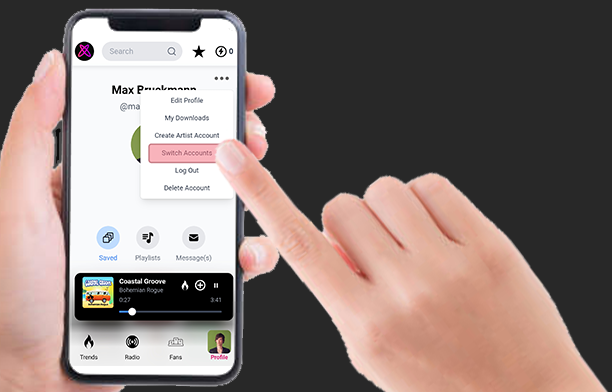
Note: You can switch between your “Fan” and “Artist” personas anytime using the “Switch Accounts” option.
2. The Professional Polish
Step 1. Open the Drop Down Menu on your Artist Profile Page
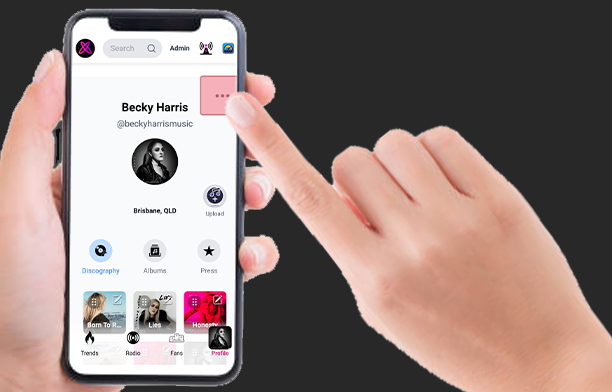
Step 2. Select ‘Edit Profile’
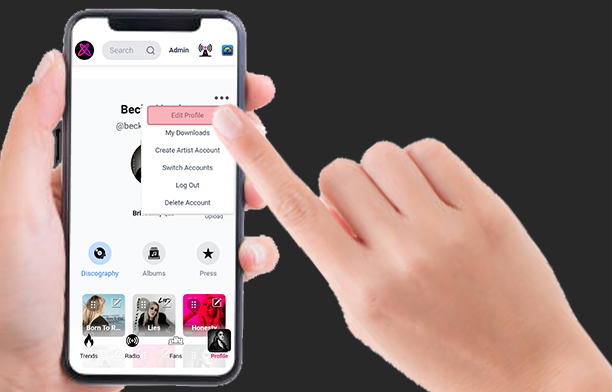
Step 3. Add your Handle & Bio.
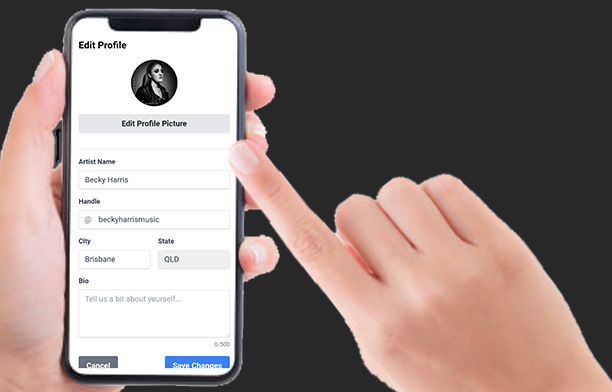
Pro Tip: Our Radio Jockeys use this bio to tell your story on-air. If you don’t give them a story, they can’t build the “Theater” around your track. Be authentic.
3. Entering the Arena (The Upload)
Step 1. Press the Upload button on your Artist Profile
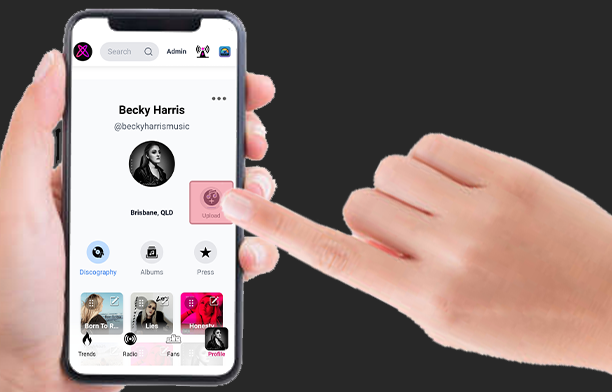
Step 2. Complete the form
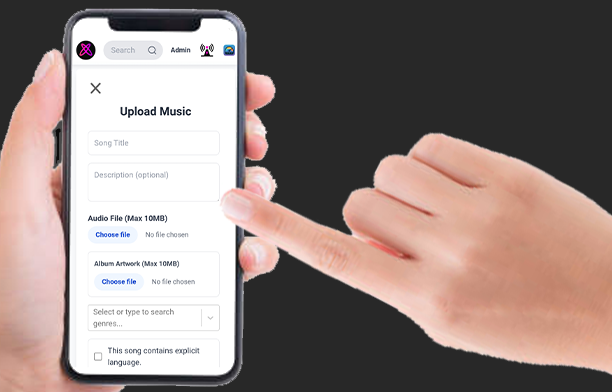
Pro Tip: Give your description some thought, it will give new listeners a reason to join your journey.
Step 3. Tap ‘Upload Music’ to Submit
File specs: Keep it under 10MB. We want lean files ready for the airwaves.
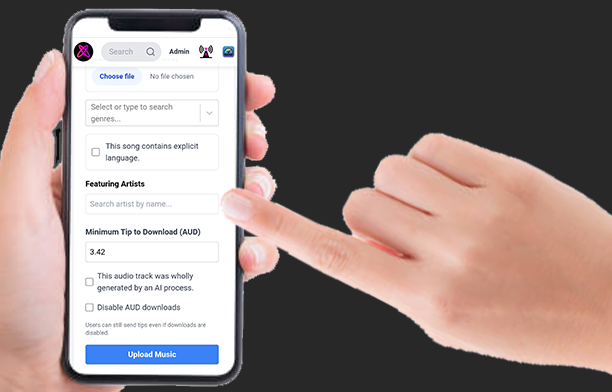
A Note on Authenticity: We are building a “Real” industry. We support creators, not prompts. Songs with no human element will be disqualified from charting. We want your soul in the machine.