How To Set Up An Artist Profile
Written by Atomic Newsroom on 29 December 2025
1. Sign Up
First, ensure you have signed up for an account at https://atomicmusic.web.app
When You first sign up to Atomic, you will be creating a Listener profile by default.
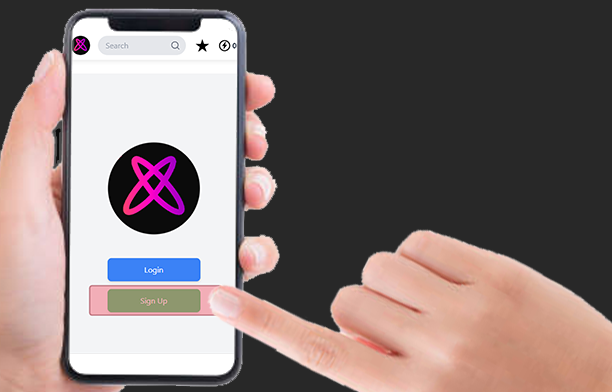
You can use your ‘Listener’ profile to
- Discover new local music.
- Rate songs you like/dislike to hear more/less similar songs.
- Tip local artists and support them financially.
- Create playlists to replay music you love.
- Fan boy / Fan girl your favourite local artists.
If you want to upload your own music and be eligible to chart in the Top Twenty, you’ll need to create an Artist profile.
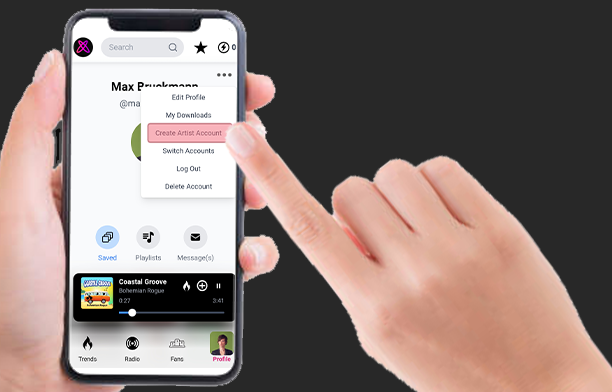
How to create an Artist Profile:
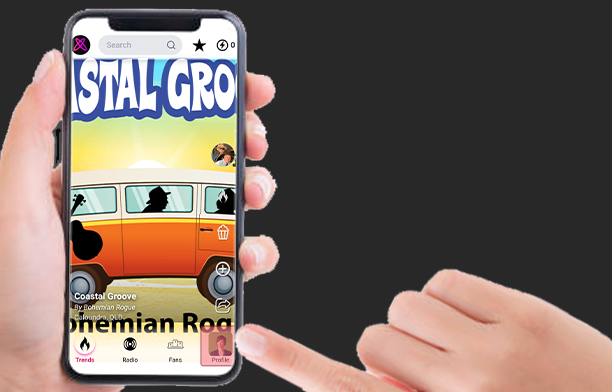
Step 1. Navigate to your Profile Page (bottom right)
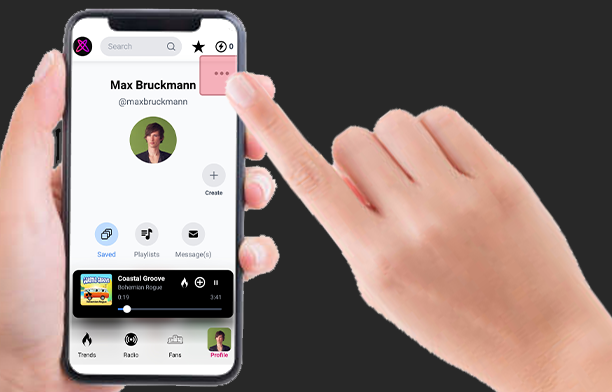
Step 2. Open the Drop Down Menu (top right)
Step 3. Select “Create Artist Account” from the menu
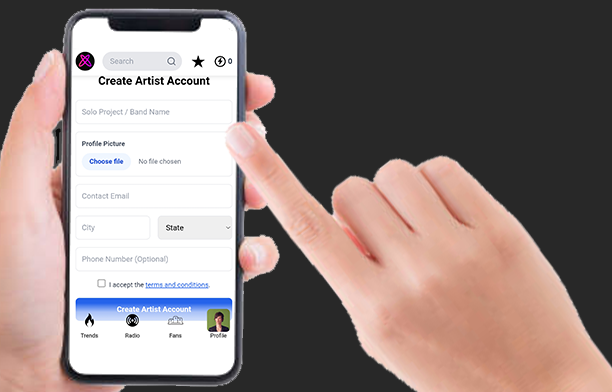
Step 4. Complete the Account Set Up Details
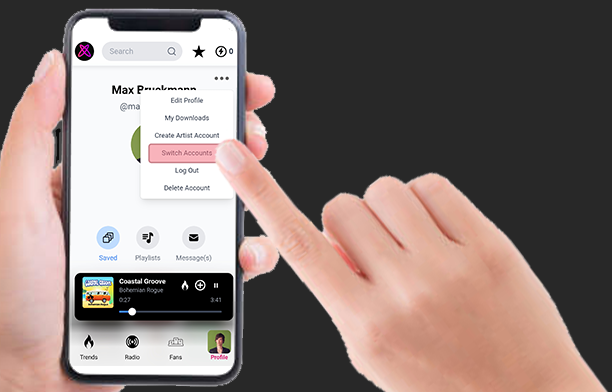
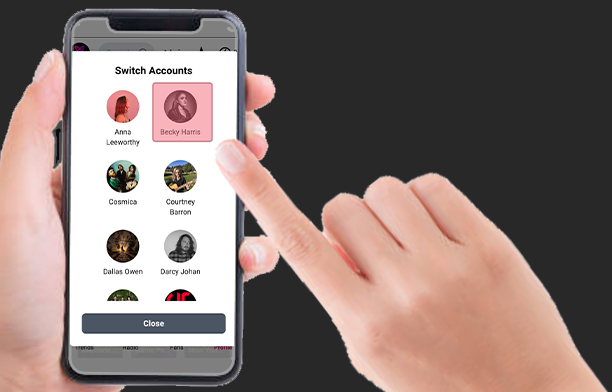
Note: You can Switch between ‘Listener’ & ‘Artist’ Profiles using the “Switch Accounts” menu option.
For Prolific Artists, or Artist’s Managers, multiple Artist Profiles can be Created and maintained under one login.
2. Polish Your Profile
Step 1. Open the Drop Down Menu on your Artist Profile Page
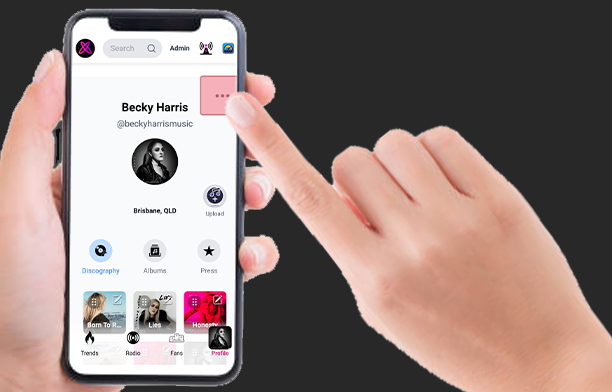
Step 2. Select ‘Edit Profile’
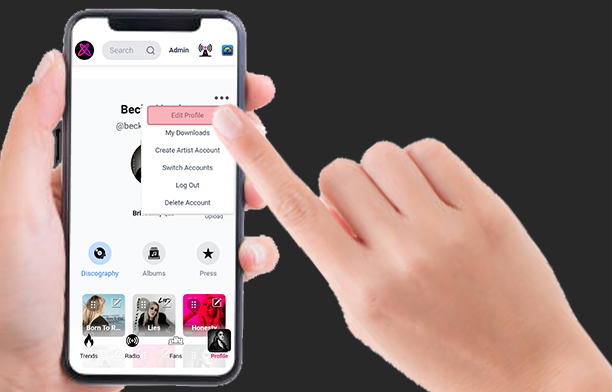
Step 3. Complete the setup by adding a Handle & Bio
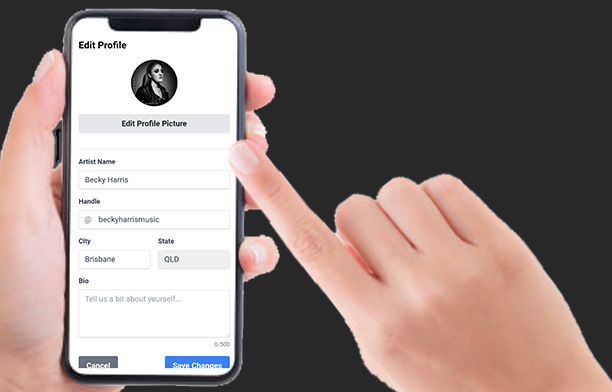
Pro Tip: Our Radio Jockeys (as well as Fan Boys & Fan Girls) appreciate it when you’ve set up an artist bio on your profile. It helps them better describe you on air and tell listeners all about your band!