How To Submit Your Music
Written by Atomic Newsroom on 29 December 2025
Upload Your Music
Music uploaded to an artist profile on our Beta Mobile App is automatically eligible to chart in the Top Twenty. The selection of uploaded music for charting positions is subsequently determined by a range of criteria including like/dislike ratio’s, streaming figures and tipping.
How to Upload:
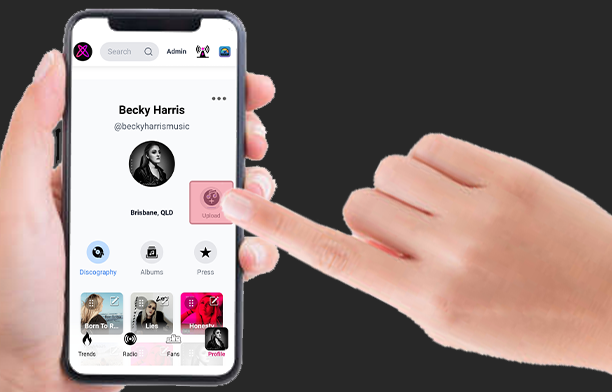
Step 1. Press the Upload button on your Artist Profile Page
Step 2. Complete the Music Upload Form
Tip: Make your description interesting and authentic, as this can cement new listeners discovering your music for the first time.
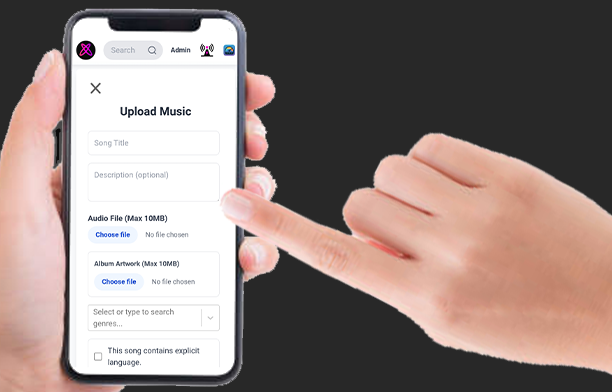
File specs: Audio files can be any format but must not exceed 10MB. You can compress files that are too large by using any online file compressor service.
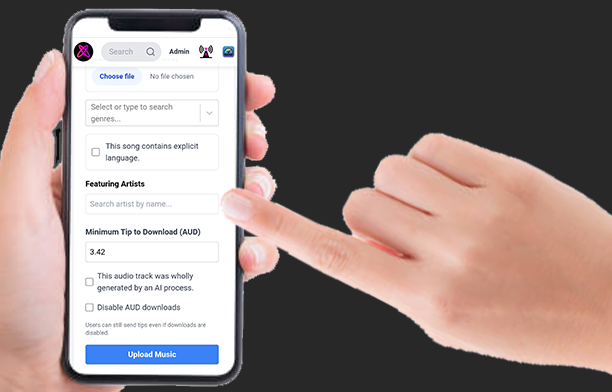
Step 3. Tap ‘Upload Music’ once complete to Submit
A note on AI: We are doing our best to create real connections through music. While we appreciate the use of AI tools for efficiently creating compositions, we reserve the right to blacklist songs that do not contain any human elements from charting eligibility.