How To Get Your First Chart Position
Written by Atomic Newsroom on 12 January 2026
Background:
Hitting the Top Twenty gets you National Radio airplay. That is huge exposure.
You cannot buy a spot on our charts. You earn it. The rankings are based on real data: Likes, Streams, and Tips.
To get there, you can’t just upload a song and hope for the best. You need to drive traffic to your profile. This guide shows you how to use our tools to get noticed by the algorithm.
1. Publish A Press Post
Make headlines, not just noise.
Go to your Artist Profile and click the ‘Press’ section. This is your news feed.
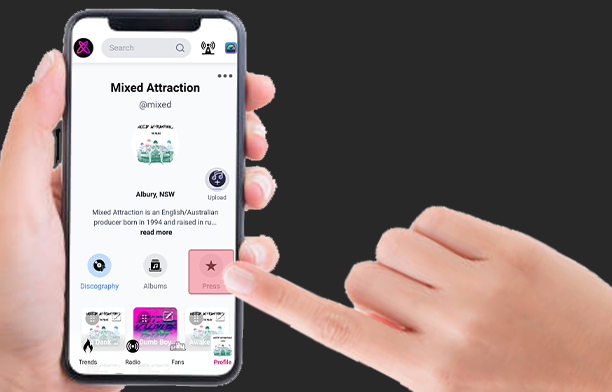
Why do this?
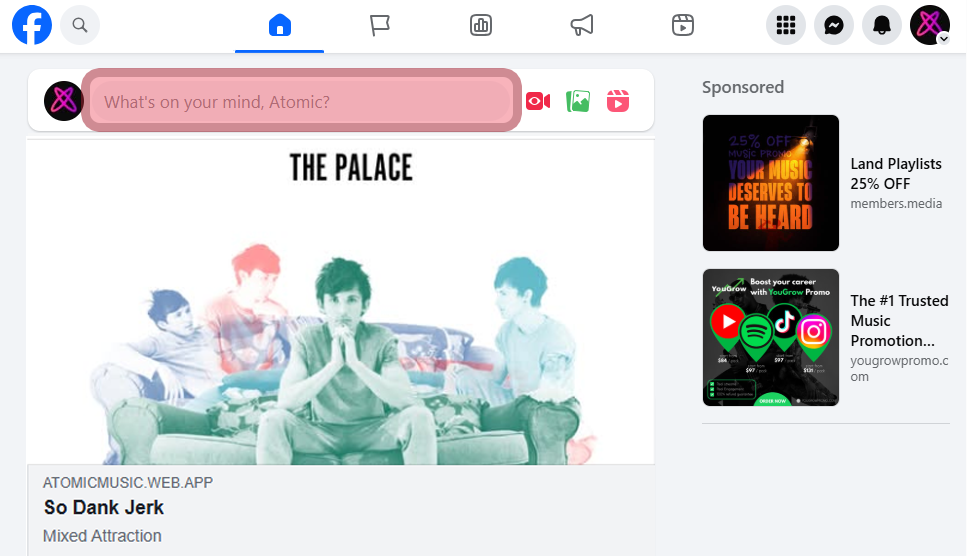
- Exposure: Your post goes into the global App Feed. Everyone sees it, not just your followers.
- Connection: Listeners love a backstory. If they connect with your story, they are more likely to become a fan.
- Professionalism: An active Press feed shows you are serious about your career.
How to create one:
Step 1. Go to the Label Services page.
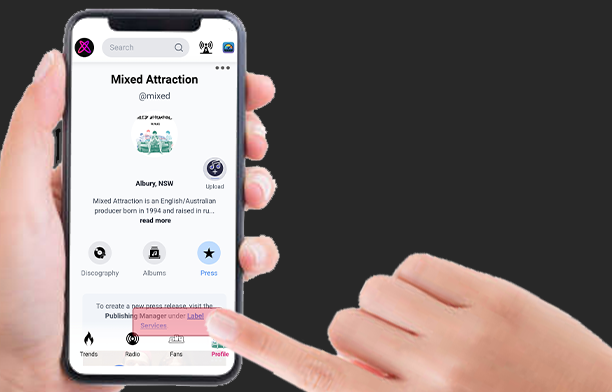
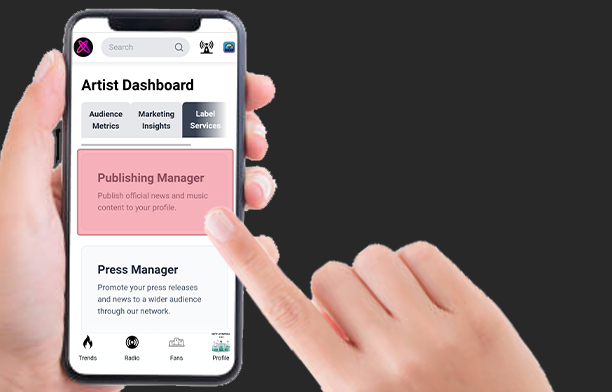
Step 2. Open the Publishing Manager
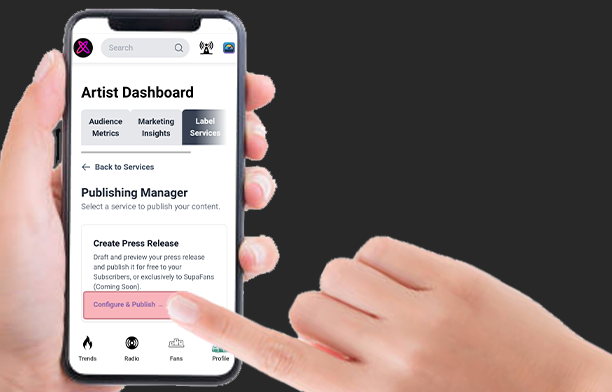
Step 3. Tap “Configure & Publish”.
Step 4. Write a catchy headline and upload a photo or video.
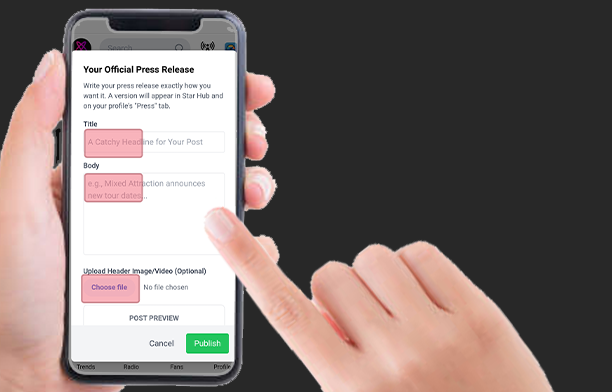
Step 5. Choose a Goal:
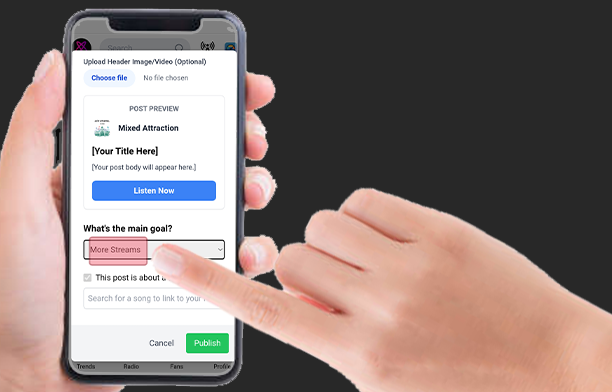
Why? This creates a button in the post. People can read your story and listen instantly.
Pro Tip: Select “More Streams” to gain listeners. Select “More Tips” if you have listeners and want more tips.
Step 6. Link Your Song: Search for your track and select it.
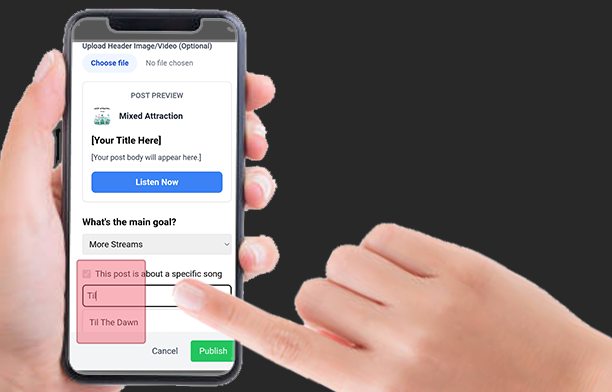
Final Step: Tap ‘Publish’.
2. Share Your Press Link
Don’t wait to be found.
Posting to the feed is good, but it is passive. To chart, you need to be active.
The best way to get support is to send your post directly to people who know you.
How to share it:
Step 1. Go to the Press Tab on your profile.
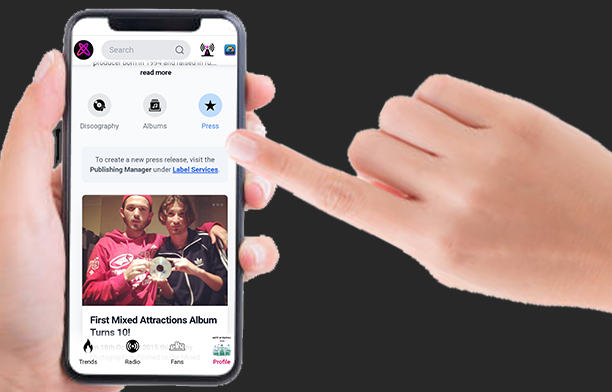
Step 2. Tap on your post to open it.
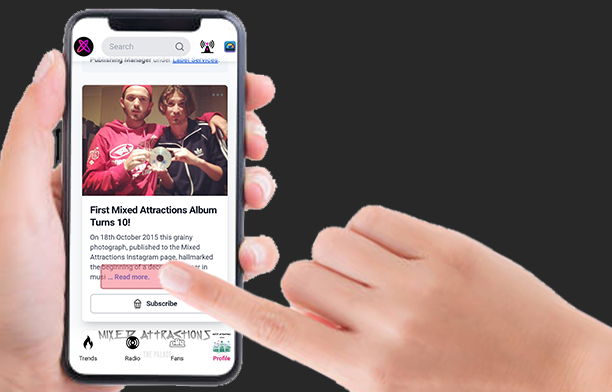
Step 3. Tap the Address Bar at the top of your browser.
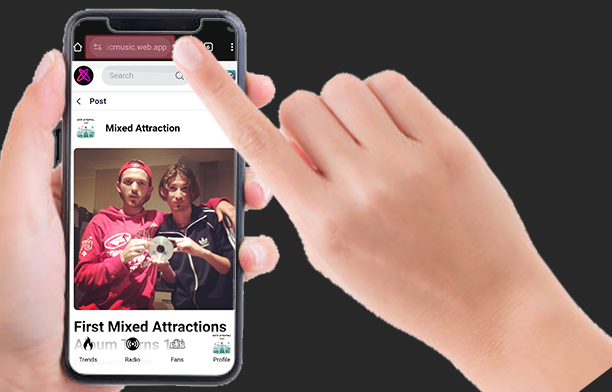
Step 4. Copy the link.
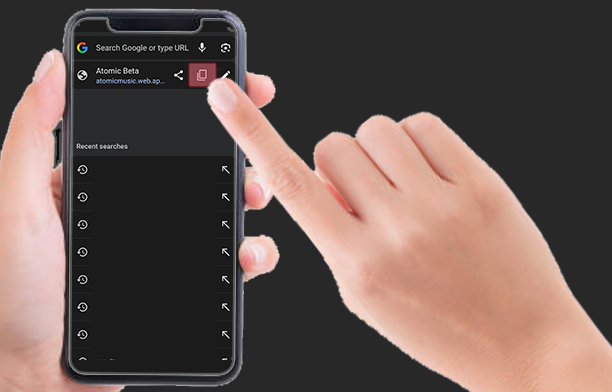
Step 5. Paste it into DMs on Instagram, WhatsApp, or Messenger.
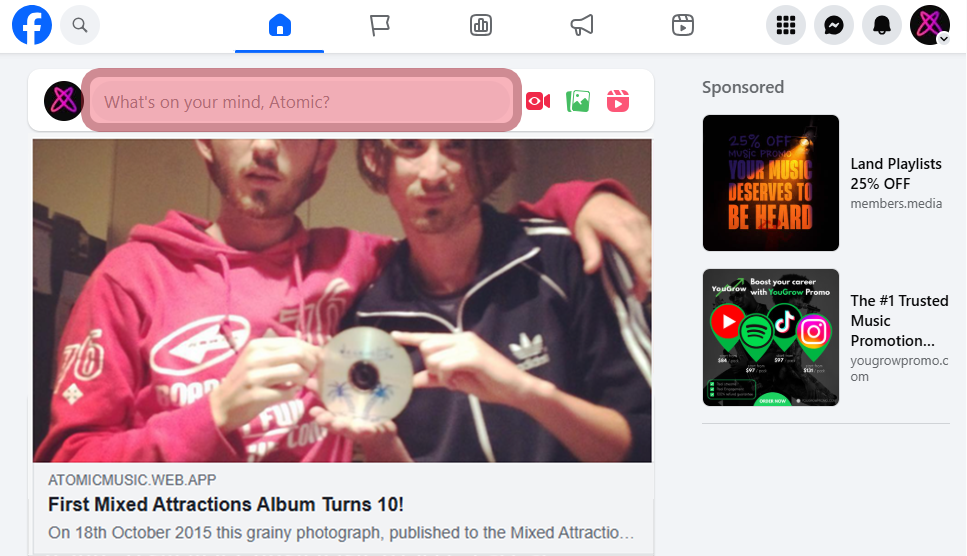
Pro Tip: Posting on your timeline is fine, but Direct Messages (DMs) work best. Sending a personal message to friends asking them to “read and rate” creates a personal connection that gets real results.
3. Share Your Song Link
Focus your fire.
Sometimes you just want to send people straight to the music.
Strategy Note: Promote one song at a time. It is better to get 1,000 streams on one song (High Chart Position) than 100 streams on ten different songs (No Chart Position). Don’t dilute your efforts.
How to share a Song URL:
Step 1. Go to the Discography Tab on your profile.
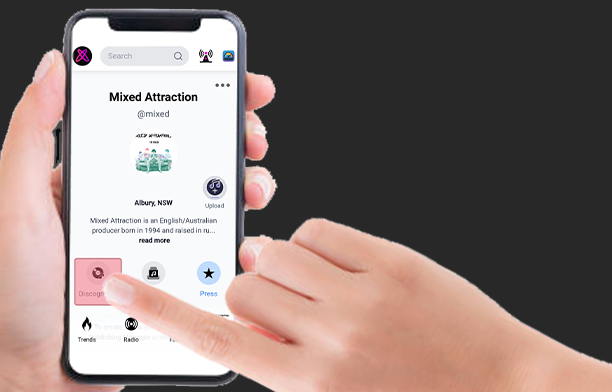
Step 2. Tap the song you want to promote.
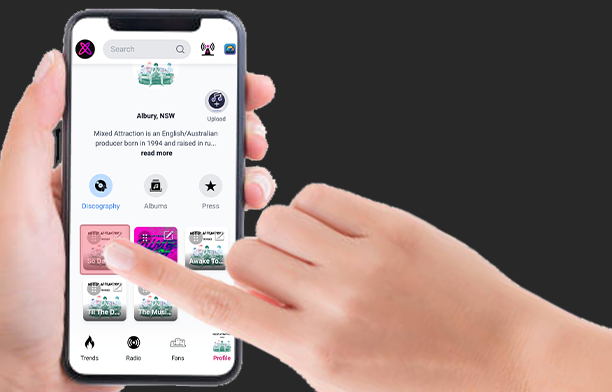
Step 3. Tap the Mini Player to open the full screen.
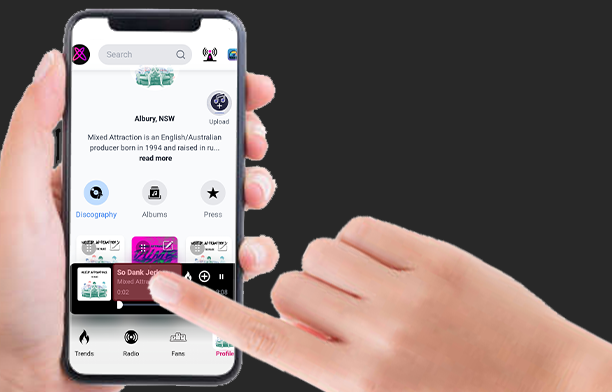
Step 4. Tap the Address Bar at the top of your browser.
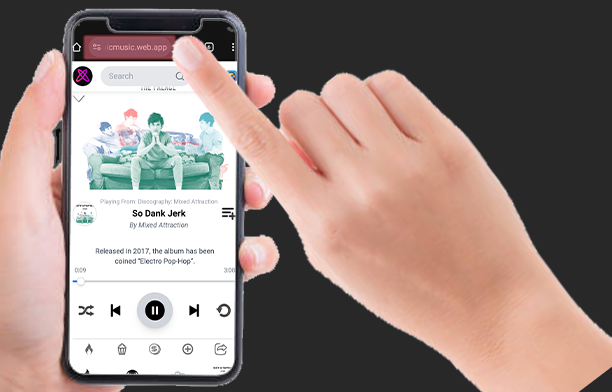
Step 5. Copy the link.
Step 6. Paste it into your Instagram/TikTok “Link in Bio” or send it to friends.

You may also like



Continue reading